
Residential · the parts people replace themselves
Garage Door Remotes & Keypads
Remotes, wall consoles, outside keypads and myQ — the accessories that go with a garage door opener, and the ones people most often sort out on their own. We supply and pair them with any opener we fit, and this page is the honest version of everything else: what a remote costs, whether a universal one will work, and the pairing sequence that catches everybody out.
Ask About AccessoriesCall 800-522-6825
Paired and set before we leave · LiftMaster and Chamberlain · rolling-code security explained
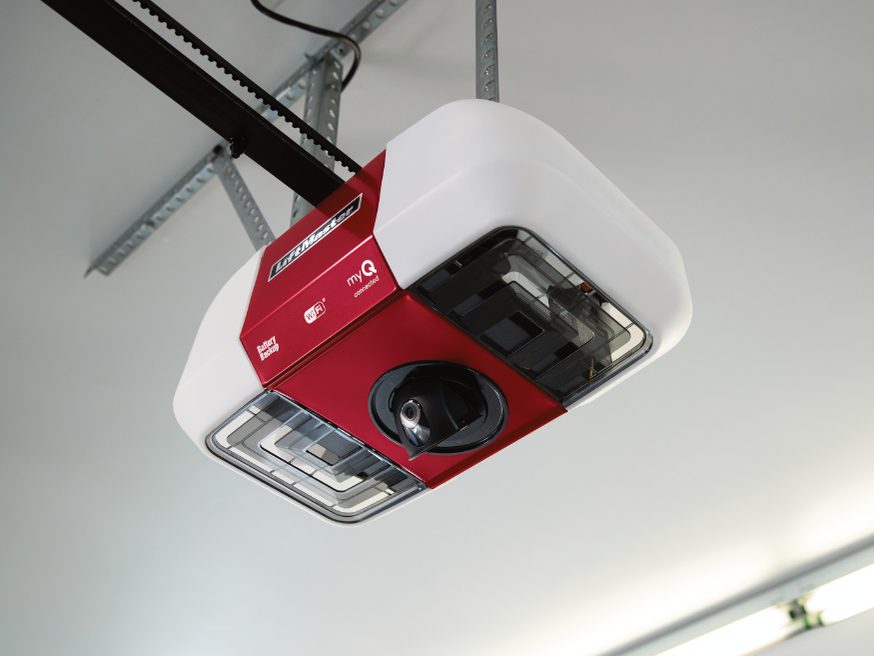
At a glance
| Remotes | Single, two and three-button handsets, plus visor and keyring formats, for LiftMaster and Chamberlain openers |
|---|---|
| Keypads | Wireless numeric keypads mounted outside the door — entry by code, no key and no phone |
| Wall controls | Wall consoles with light and lock buttons; the lock button disables the remotes while you are away |
| myQ | Built into current openers — open, close and check the door from a phone, with an alert if it is left up |
| Vehicle buttons | HomeLink and Car2U buttons in the car can be paired to the opener; we do it on the day if you ask |
| Batteries | Usually CR2032 or CR2016 coin cells — a flat one is the single most common cause of "the door stopped working" |
| Security | Rolling codes change with every press, which is why remotes rarely carry over from an old opener |
Everything on this page is a part rather than a job, and it is worth saying that up front: if your opener is working and you need a remote, a keypad or a battery, you are buying a small item and following a short sequence, not booking a technician. We will tell you which one fits and how to pair it, and if it still will not pair, then it is worth a call.
What comes as standard with every opener we install: remotes, a wall console and an outside keypad, all paired and set before the technician leaves, with the keypad code set to something you choose rather than to a factory default.
What each control is for
Handheld remote
The one in the car. Single, two and three-button, in visor and keyring formats. Two-button is worth it on a double garage; three-button if you also have a gate.
Wall console
Fixed inside the garage. The good ones carry a light button and a lock button that disables every remote while you are away — the most underused control in the garage.
Outside keypad
A numeric pad by the door. Entry by code with no key and no handset, and the accessory we suggest before any extra remote.
myQ on a phone
Built into current openers. Open, close, check whether the door was left up, and get an alert when it moves.
Car buttons
HomeLink or Car2U built into the visor or mirror. Pairs to the opener, so the handset stops being necessary at all.
Photo eyes
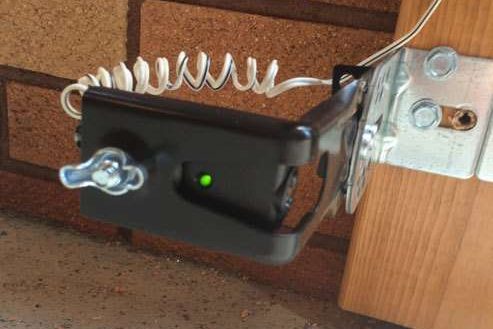
Not a convenience item — the safety device that stops the door closing on something. Every opener sold in Canada since the early 1990s has them, and they are never bypassed.
Pairing a remote: the sequence, and the trap
It is the same on LiftMaster and Chamberlain, and it takes under a minute once you have found the button.
- Find the Learn button on the motor head. On the back or the side, often behind the light lens. Its colour identifies the generation — worth noting before you buy a universal remote.
- Press and release it. An indicator light comes on and the opener listens for about thirty seconds.
- Press and hold the remote button until the opener's lights flash or it clicks.
- Test it, then test the safety reversal by running the door down onto a solid object. It must reverse.
The trap: that button is a Learn button, not a reset. A short press pairs a new remote. Holding it down until the light goes out — about six seconds — erases every remote, keypad and car button already paired to the opener. That is exactly what you want on move-in day and exactly what you do not want on a Tuesday evening.
Will a universal remote work?
Sometimes, and the answer is on the packaging rather than in the price.
| Your opener | What pairs with it | Watch for |
|---|---|---|
| Current LiftMaster / Chamberlain (rolling code) | The manufacturer's remote for that generation; a universal one only if its list names your model | Generation matters more than brand — check the Learn button colour |
| Older rolling-code units | Often a universal remote, sometimes with an extra step at the head | Compatibility lists get shorter as models age |
| Fixed-code with dip switches (pre-1993 or so) | Almost any period-correct remote, set to match the switches | If yours has dip switches, the opener has no rolling-code security at all |
| Another make entirely (Genie, Craftsman, Raynor) | Its own remote, or a universal that names it | Frequency as well as code system has to match |
If your opener still uses dip switches, the useful thing to know is not which remote fits — it is that anyone with a matching remote can open your garage. That is a security reason to replace the opener, and it is the one case where we would raise the replacement conversation over a part.
When a "remote problem" is actually the opener
Three checks, in order, and they separate an inexpensive part from an expensive machine:
- Does the little light on the remote come on when you press it? No — battery. Coin cell, usually CR2032 or CR2016.
- Does the wall button inside the garage still run the door? Yes — the motor and the drive are fine, and you are looking at the remote or the receiver.
- Have you tried a fresh battery in a second remote, and re-pairing both? If neither will pair and the wall button still works, the receiver inside the opener has failed.
That last one is not an accessory. A receiver is part of the logic board, and on an opener of any age replacing it means paying a significant fraction of a new unit to renew one component of a machine that is the same age throughout — which is why we quote a new opener instead. The reasoning is on opener repair or replacement.
Security: the four things worth doing
- Clear the memory when you move in. Hold Learn until the light goes out. Every remote a previous owner, their relatives or their contractors kept becomes useless.
- Change the keypad code off the factory default, and change it again when someone who had it no longer needs it.
- Use the lock button on the wall console when you are away for more than a day.
- Never leave a remote clipped to a visor in a car parked on the driveway. With the address on the registration in the glovebox, that is a key and a label.
The same crews maintain doors and operators for names Ontario knows — Canada’s Wonderland, Tim Hortons, Canadian Tire, the LCBO, Metrolinx, Marriott & Hilton hotels, the University of Toronto — plus warehouses, dealerships, schools and several thousand houses across the GTA. Dependable people, quality products, since 1979.
What our customers say
Best garage service in the city!!! Called Friday. Got a new garage opener Monday! Thanks!!!
Great service! Technicians came on time. They were very friendly, explained all the options and installation took less than an hour. The new opener works great so far! I would definitely recommend this company.
technician was so friendly and walked me through the entire set up once complete! Happy we have our garage door working now with new remotes a keypad and even a digital app
Opener accessories across Toronto & the GTA
Remotes and keypads come with every opener we fit, paired and set before the technician leaves, right across the core GTA and the Southern Ontario belt from our shop in Mississauga.
Core GTA
- Toronto
- Mississauga
- Brampton
- Vaughan
- Markham
- Scarborough
- North York
- Etobicoke
- Richmond Hill
- Oakville
- Burlington
- Milton
Southern Ontario belt
Worth saying plainly: a remote on its own is not a call-out we would ask you to pay for. If that is genuinely all you need, buy the right one and follow the pairing sequence below — and if it will not pair, then call us. See all service areas
What accessories cost
These are parts rather than jobs, and the honest framing is that most of them do not need a technician at all:
- A manufacturer remote is the least expensive item on this whole silo — and a universal remote is less expensive still, when it is genuinely compatible
- A wireless keypad costs a little more, and is the accessory most worth adding
- A wall console with a light and lock button, where the original has failed
- Whether the parts come with a new opener — remotes, a console and a keypad are included in every installation we do
- Whether a technician is needed at all: if you are buying one part for a working opener, you are usually paying for the part and nothing else
- Where an opener needs a new receiver, that is not an accessory job — it is the point at which the machine is replaced
If you are already having work done, accessories are added to that visit at the part price. If a remote or a keypad is all you need and your opener is healthy, we will tell you which one to buy and how to pair it rather than book a call-out you do not need.
Common questions
Will any remote work with my garage door opener?
No. Two things have to line up: the frequency the opener listens on, and the code system it uses. Modern openers use rolling codes that change every press, and the receiver only pairs with remotes from a compatible generation. The manufacturer's own remote for your model always works. A universal remote works when its compatibility list names your opener — read that list rather than the packaging headline. Very old fixed-code openers with dip switches are the exception: those pair by matching the switches, and almost any period-correct remote will do it.
How do I program a remote to my garage door opener?
The sequence is the same across LiftMaster and Chamberlain. Find the Learn button on the motor head — on the back or the side, often behind the light lens, and rarely where the manual's diagram suggests. Press and release it; an indicator light comes on. Within thirty seconds, press and hold the button on the remote until the opener's lights flash or it clicks. That is it. Two things catch people out: the thirty-second window is short, and the button on the head is a learn button, not a reset — holding it down for six seconds erases every remote you already have.
Can you just replace the garage door opener remote?
Yes, and usually you can do it yourself for the price of the part. A remote is an accessory, not a component of the machine: if the wall button still runs the door, the opener is fine and you are buying a handset. The one case where a "remote problem" is not a remote problem is when no remote will pair, the wall button still works, and the batteries are known-good — that is the receiver inside the opener, and on a unit of any age it is where a replacement conversation starts.
Can I use my phone as a garage door remote?
On a current LiftMaster or Chamberlain, yes — that is what myQ is, and it is built into most models now rather than sold as an add-on. It opens and closes the door, tells you whether it was left up, and can alert you when it moves. Older openers can be brought onto it with a separate myQ hub if the model is on the compatible list. Two caveats worth knowing: some integrations with other smart-home platforms have moved behind a subscription over the years, and a door that opens from a phone is a door on your network — use a unique password and turn on two-factor.
My remote stopped working. Is it the battery?
Nine times out of ten, and it is a coin cell — usually a CR2032 or CR2016. Check whether the little LED on the remote still lights when you press it. Then check whether the wall button inside the garage still runs the door: if it does, the opener is healthy and the fault is in your hand. If a fresh battery does not fix it, try re-pairing before buying anything — a remote can lose its pairing after a power surge.
Is a keypad worth having?
It is the accessory we would recommend first, ahead of extra remotes. A wireless keypad mounts outside the door and lets you in with a code — no key hidden under a rock, no remote left in the other car, and a way for a dog walker or a trades visit to get in without a handset. Most take a temporary code you can issue and cancel. Change the code from the factory default the day it goes on, and change it again when somebody who had it stops needing it.
How do I stop the remotes working while we are away?
Use the lock button on the wall console. It disables every remote while leaving the wall button working, which is exactly what you want for a holiday — the door cannot be opened from outside, including by anybody who has an old remote from a previous owner. If your console has no lock button, the belt-and-braces version is to unplug the opener and throw the manual slide lock on the door track.
We just moved in. Should I clear the old remotes?
Yes, and it takes ten seconds. Press and hold the Learn button on the motor head until its indicator light goes out — about six seconds. That erases every remote, keypad and vehicle button that was ever paired, including whatever the previous owners, their family and their contractors still have in a drawer. Then re-pair your own. It is the single best security thing you can do to a garage on move-in day, and nobody tells you about it.
Can you pair the button in my car?
Usually yes. Most cars with HomeLink or Car2U buttons can be paired to a LiftMaster or Chamberlain opener, though the rolling-code generations need an extra step at the motor head — which is why people give up on it. If we are fitting your opener, bring the car onto the driveway and say so; it takes a couple of minutes on the day and is far more annoying to do alone afterwards.
Not sure which remote fits your opener?
Tell us the make and the model number off the label on the motor head, and the colour of the Learn button if you can see it. That is enough to identify the generation and tell you what will pair with it.